
IPTV PLAYER FOR IOS DEVICES
Your playlist, finally organized.
Nori turns the M3U or Xtream Codes playlist you already have into a fast, native player — live TV guide, 4K/HDR, and a catalogue that actually feels like an app.
Nori provides no channels, playlists, or content of any kind. You bring the source; Nori plays it well.
Why Nori
A player, not a source
Nori ships with zero channels, playlists, or content of any kind — no directory, no recommendations, no sharing between users. You bring your own M3U or Xtream Codes source; Nori just plays it well.
Private by design
No analytics, no tracking, no account. Your playlists, credentials, and watch history stay on your device — full stop. Nori's App Store privacy label reads “Data Not Collected.”
Built on real decoders
Nori plays what IPTV providers actually send — raw MPEG-TS, HLS, DASH, RTSP and MKV, including 4K HEVC and HDR — powered by VLC's decoder, not just what a stock video player supports.
Features
LIVE TV
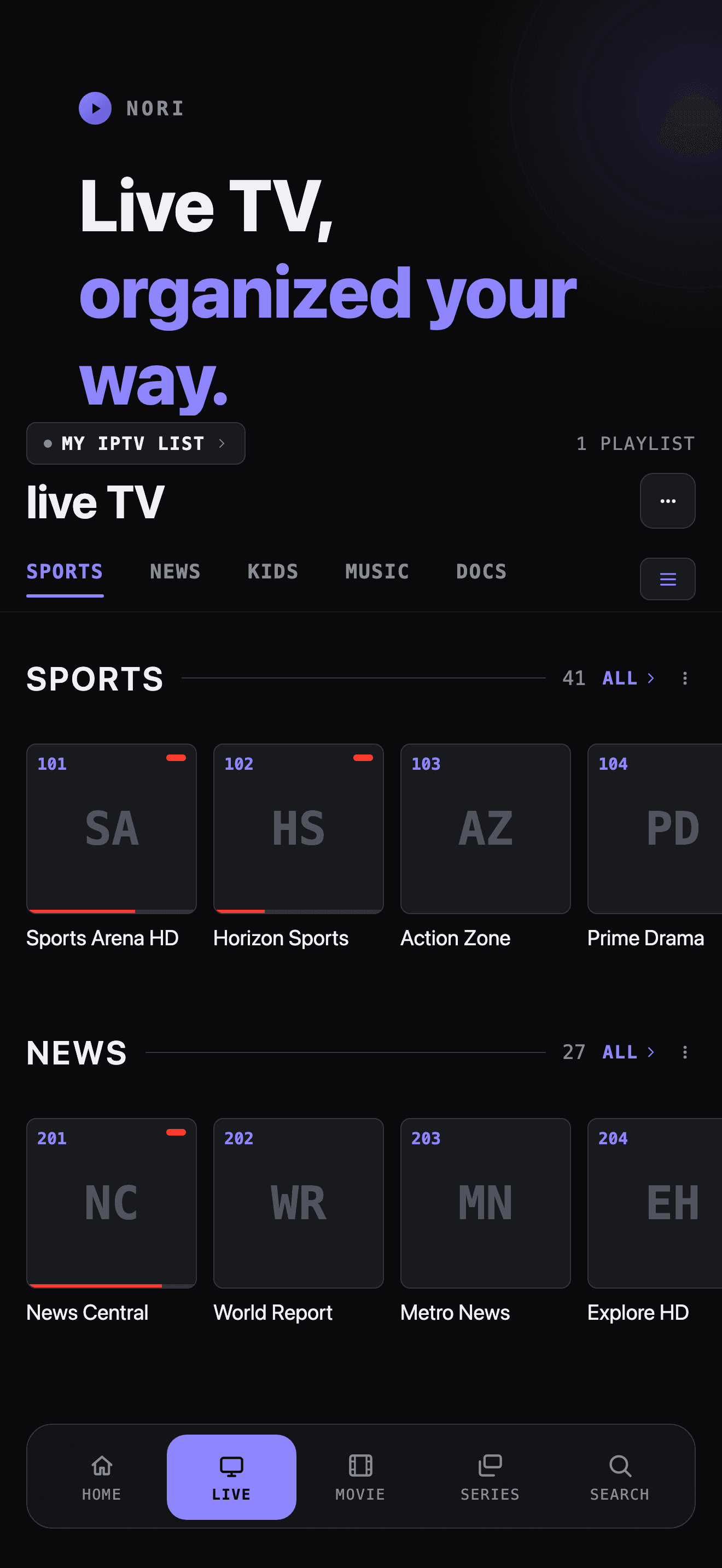
Live channels, organized by category.
Categories as horizontal rails, a channel guide with what's on now and next, and instant switching between channels while you watch.
- Full EPG guide with programme schedules
- Now/next everywhere a channel appears
- Catch-up playback where your provider supports it
- Sort, hide and reorder every category
MOVIES & SERIES
Detail pages that actually tell you something.
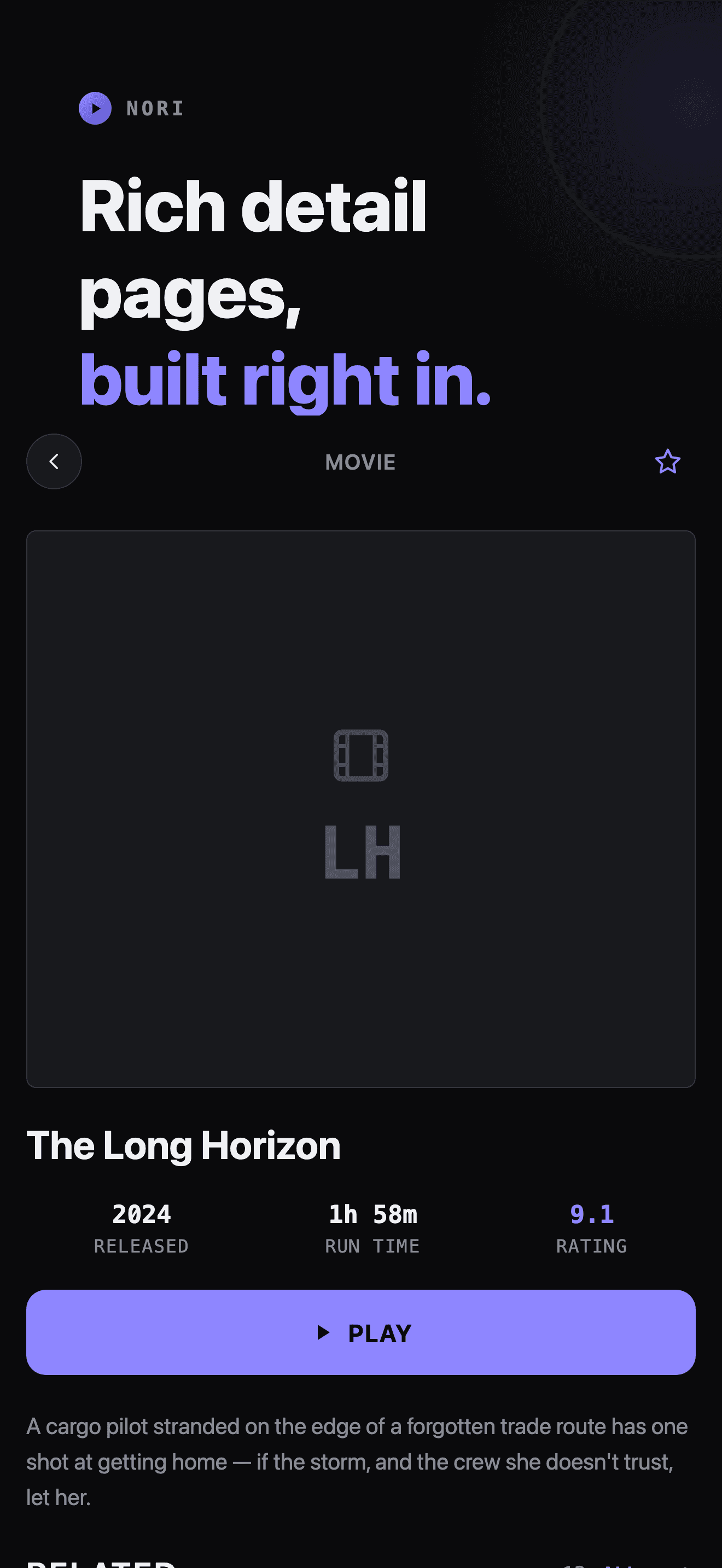
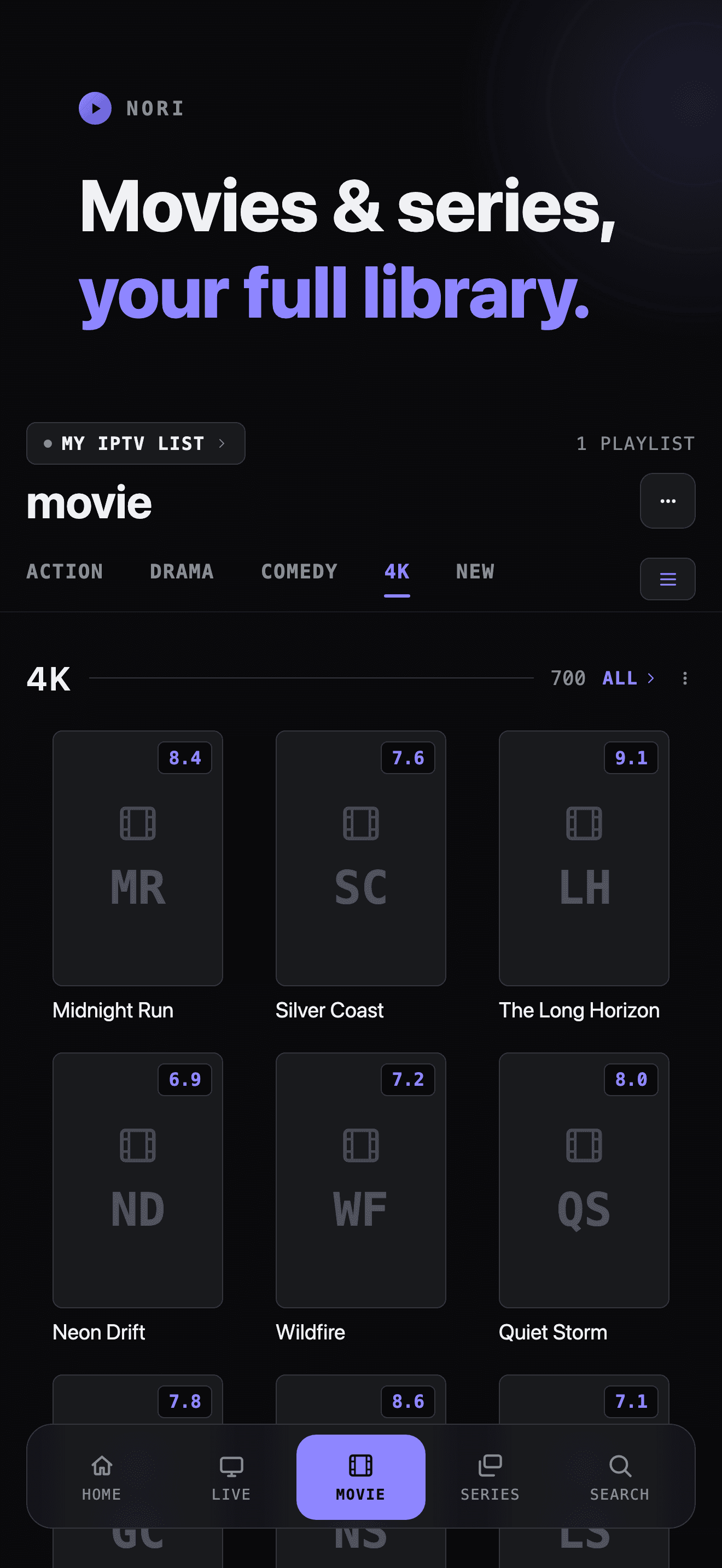
Poster grids, plot, cast, rating and run time pulled straight from your provider — plus a Related rail to find what to watch next.
- Season and episode browsing for series
- Resume where you left off
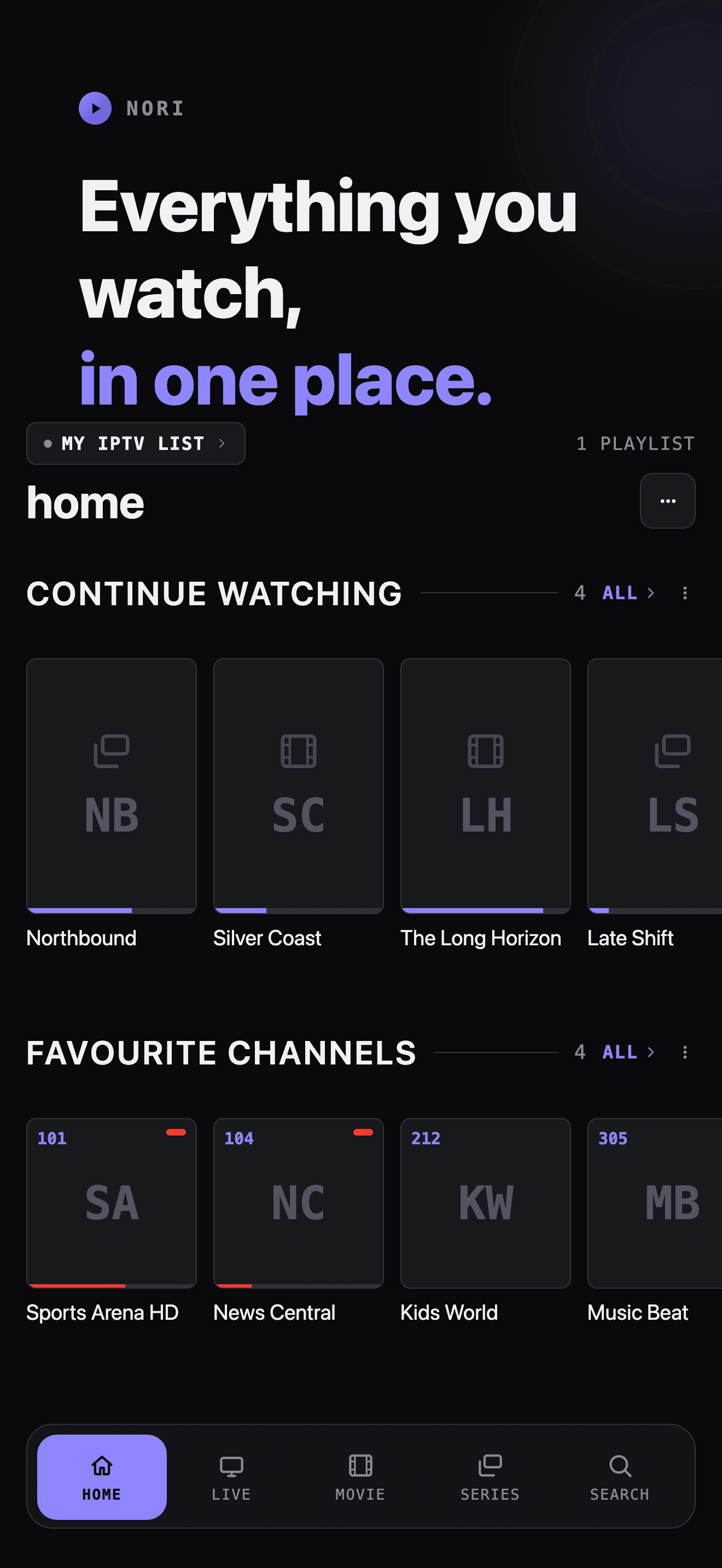
- Favourites for channels, movies and series
- Continue Watching on Home
PLAYBACK
Built for what providers actually send.
Dual-engine playback — VLC for raw MPEG-TS, DASH, RTSP and MKV, AVFoundation where it's the better fit — so a stream just plays, in whatever format it arrives.
- 4K and HDR HEVC streams, played natively
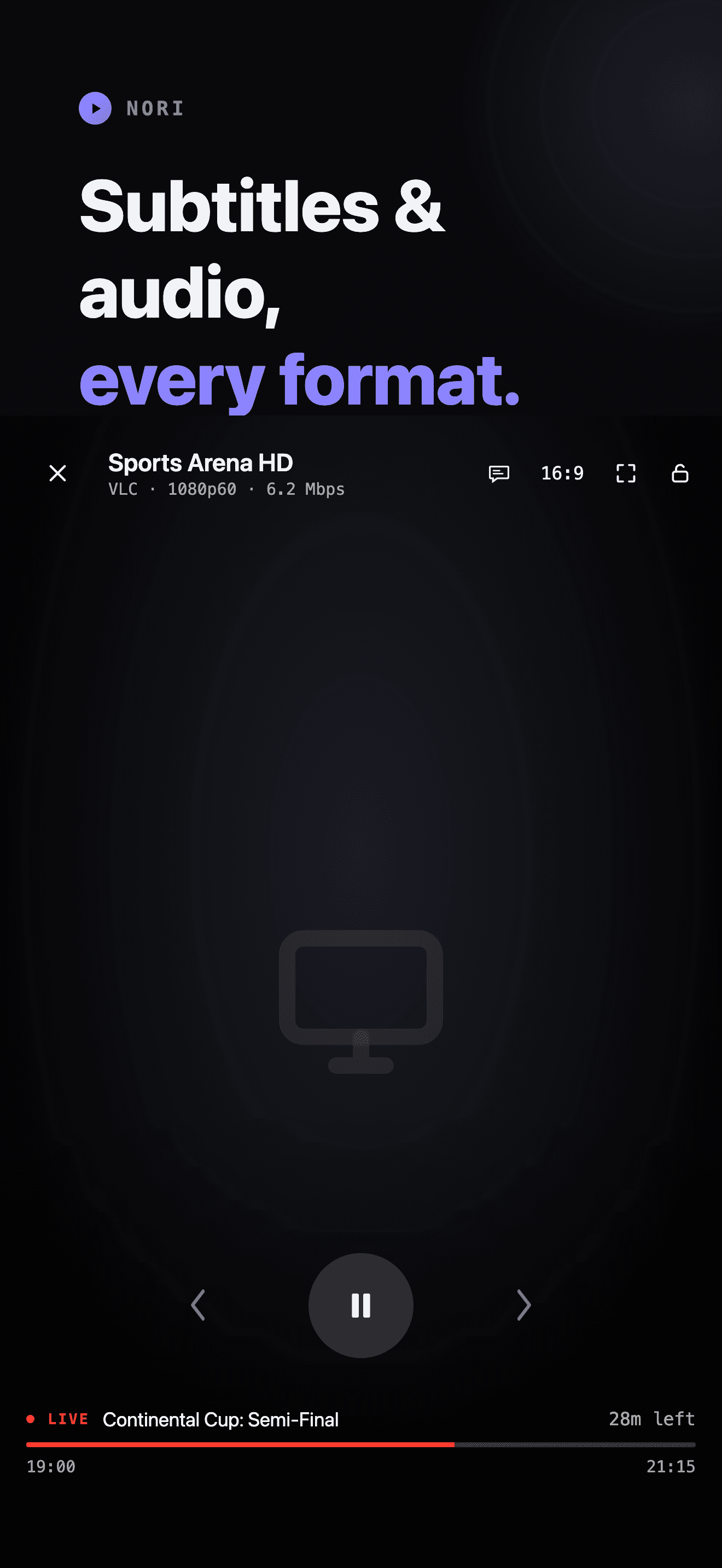
- Subtitle and audio track selection
- Adjustable aspect ratio and lock controls
- Fullscreen on rotation, real scrubbing on VOD
MADE YOUR WAY
Your categories, your order, your rules.
Nori doesn't assume your provider's default organization is the right one. Sort, hide and rename categories, and clean up ugly playlist naming with one toggle.
- Drag-to-reorder categories per content type
- Hide categories you never use
- Clean up provider-formatted channel names
- Light and dark appearance, PIN lock
PRICING
Free to try. Fair to keep.
Every feature is free to use. A Nori Premium subscription removes the one limit — how long a stream plays before you’d need to press play again.
Free
€0
forever
- Add unlimited M3U or Xtream Codes playlists
- Live TV, movies, series & the full TV guide
- Favourites, search, and category customization
- Every stream plays free for 2 minutes
Nori Premium
€2.99
/ month
or €19.99 / year — save 44%
- Everything in Free, unlimited
- No playback limit — watch anything, as long as you want
- Support Nori's independent development
Auto-renewable subscription, managed through your Apple ID. Cancel anytime in Settings — no separate account needed.
FAQ
Frequently asked questions
Does Nori provide channels or content?
No. Nori is a player, not a source — like VLC or Infuse. It ships with zero channels, playlists, or bundled content, and has no directory or search of third-party streams. You add your own M3U URL, Xtream Codes login, or local playlist file.
Is Nori legal?
Nori itself is just a media player. You're responsible for the legality of the sources you add and for holding the rights to the content they carry — the same as any other player app.
What playlist formats does Nori support?
M3U and M3U8 playlist URLs, local .m3u files, and Xtream Codes accounts (host, username and password). Xtream Codes gives Nori richer metadata — movie/series detail, an EPG, and faster syncing.
What streaming formats can Nori play?
Raw MPEG-TS, HLS, MPEG-DASH, RTSP and MMS live streams, plus MP4 and MKV video-on-demand — including 4K and HDR HEVC — powered by VLC's decoder alongside Apple's own AVPlayer.
Is my data safe?
Yes. Xtream credentials live in the iOS Keychain, never in a database or a log line. Nori has no analytics SDK, no tracking, and makes no network request except to the server addresses you type in yourself.
How does the free trial work?
Every live channel, movie, or episode plays for two minutes before a paywall appears. Close it and start again — as many times as you like. A Nori Premium subscription removes the limit for unlimited playback.
Is Nori coming to Android?
Yes — Android support is on the roadmap, and Nori's networking, parsing and storage layer was built platform-agnostic from day one specifically for this. iOS ships first; there's no Android release date yet.